
SCALE & CONTEXT
- deepikagupta20
- Mar 11, 2021
- 4 min read
Updated: Mar 24, 2021
INTRODUCTION:
This project is based on the think lab Activity 2 'Scale & Context' only this time we are required to do it digitally using Photoshop.
Scale refers to the size of the object and context refers to to the use and purpose of that object.
Project Brief: To make a creative composition by manipulating the Scale & Context of an object to change its meaning.
STEP 1: PRE-WORK
For this we were required to select a simple object from our surrounding and think of 2-3 ideas that address the project brief.
To help us understand the brief more clearly, we were shown a video of 'Up & Up' song by Coldplay.
IDEA 1: Using Scissors as a bridge between heart and mind


IDEA 2: Using the keyboard keys as teeth coming out of the mouth which will look like a chess board.


IDEA 3: Using a hairbrush as a field for horse-riding


IDEA 4: Using books as buildings


The idea with the books was approved but I was asked to certainly change the camera angle.
STEP 2: Preparing the Photograph
The selected object is the 'hero' of our composition and this step required us to click a clean photograph of it with proper camera angle and light.

After the photograph was clicked we had to extract the image out using the tools of photoshop.

STEP 3:
Just like illustrated vector map we had to choose a mood/vibe for our composition but this time it was optional.
I wanted to show the books as huge buildings in the middle of a dark night so the mood I chose was Mystery.
STEP 5: Creating a background
I first did Step 5 instead of Step 4 (manipulating the form & surface) because in order to achieve the 'Mystery theme' I first had to think of a background and according to that change the surface.
I first applied the side view of a road to show that it looks like a street.


This was the reference image that I chose for the street
After this I started looking for night skies. I wanted a sky with a moon so as to bring out the horror vibe.
The right one seemed more suitable to me so I decided to go with that


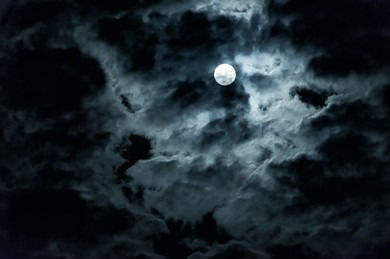
Applied 'levels' to increase the darkness so that it looks like a night scene.

My night scene needed to have a light source so I used the 'lens flare tool' to focus the light in the center.

But it seemed like as if there is a circle of light in the center. So I tried to make it look like as if 'the rays of light are coming outside from the inside of the book (in this case a narrow street)'
(Various attempts to show the rays of light)


With Lovelish sir's help I was finally able to show the gradation of light.

STEP 4: Manipulating the Form & Surface
Now that I had my background and done the light and shadow adjustments, the next step I took was to change the surface of the buildings.
I thought of giving it a 'brick' surface so as to show the books as walls of the building.

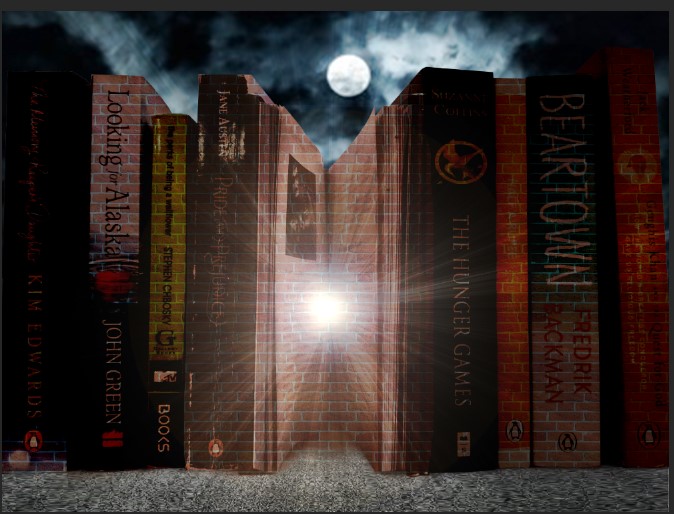


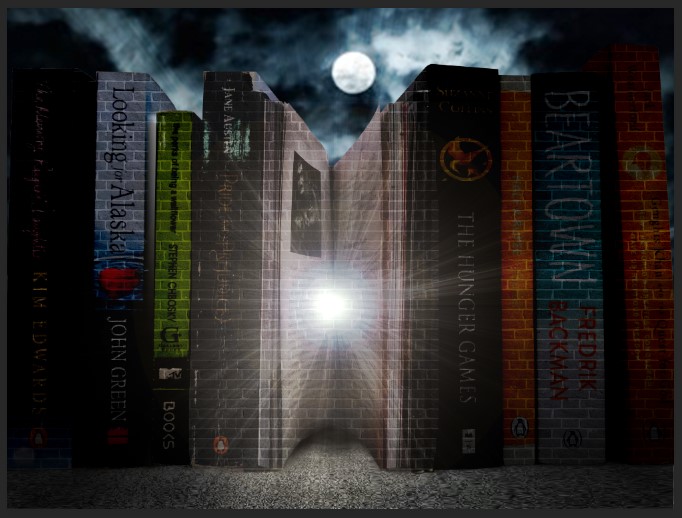
However, none of them worked so I decided to give a texture using the camera raw filter tool. But it looked even worse so I started to think of some other way.

STEP 6: COMPOSING
Continuing Step 4 here as well.
Since none of the surfaces or textures worked best to manipulate the books into building I started wondering, "What are the other things that a building has instead of brick walls?" WINDOWS! So I decided to place windows on the books.


My layer panel had become chaotic and it was difficult for me to make out which layer had what element. So I first left everything and re-arranged my layers sequentially and named them accordingly.
I also added street lamps to showcase the illusion of a street


Now the street lamps were fine but the windows seemed out of place

So I used the 'Bevel & Emboss' tool to make them look like as if they are a part of books only.
Even created imaginary lines to make sure that they are all in a line.


I also added a silhouette of a woman going at night and even added her shadow

FINAL OUTCOME:
Here's a small poem that I ended up writing about this composition. It wasn't intentional as I was trying to explain my concept in just one line but then ended up making it rhyme and now it feels like a poem about me going out at night and my thoughts that are there in my mind.
On some nights I walk down the streets
Accepting all of my defeats
As the moonlight shines over my face
It elicits those erased tears with such grace
With my thoughts unrested in my mind
I promised to keep moving forward and never look behind

REFLECTION:
After looking at my peers ideas, I did not like my idea much and thought about changing it. But then I decided to give this idea another try and even though I was not able to manipulate the surface of books the way I wanted, I am glad that I at least tried. I learned the use of Bevel & Emboss tool which I didn't know and this tool has given me so many ideas that I will one day definitely try.


Comments